MetaDefender Secure Storage & Wasabi 連携設定
Wasabi連携するためのMetaDefender Secure Storage設定を行います。
5-2-1. MetaDefender Secure Storage & Wasabi 連携設定
-
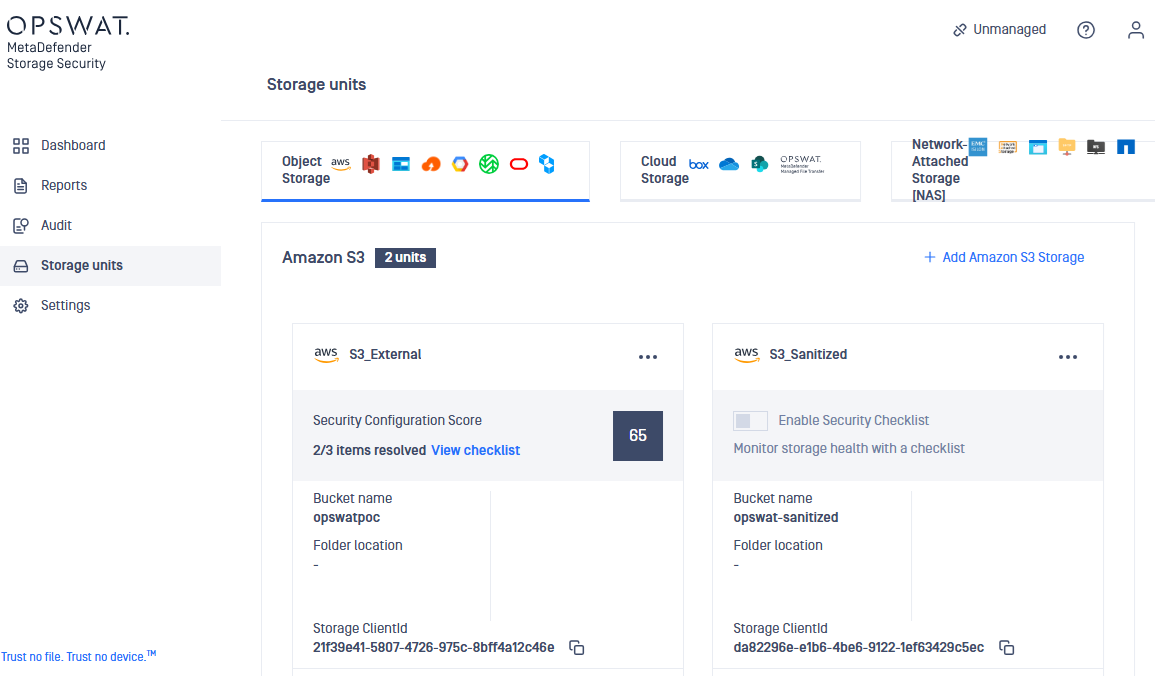
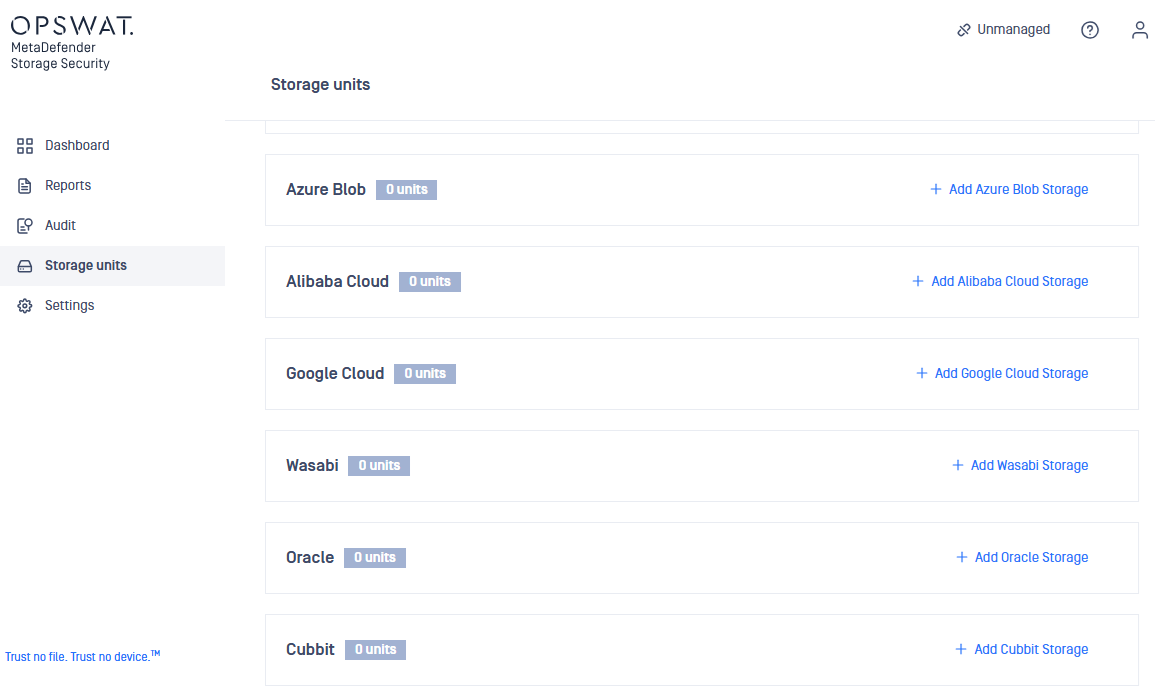
監視用フォルダを指定するためSecure Storageの管理コンソール、左ペイン「Storage units」を選択し、上部中央「Object Storage」選択後、画面を下にスクロールし「Wasabi」「+Add Wasabi Storage」をクリックします。
-
下の表に従い各項目入力後、最後に「Add」クリックします
項目 入力内容 備考 Storage Name XX(XXは担当番号) Wasabi MDSS Service URL http://s3.ap-northeast-1.wasabisys.com Access Key ID WA5TKNIDJ6EVWN561PM6 Secret Access Key 6QBUoRD8hAM2cmVzahZQ3d8KCHLFOCX6dk7LL8aO Bucket name mdss-external Folder location (Optional) OPSWATxx(xxは担当番号) 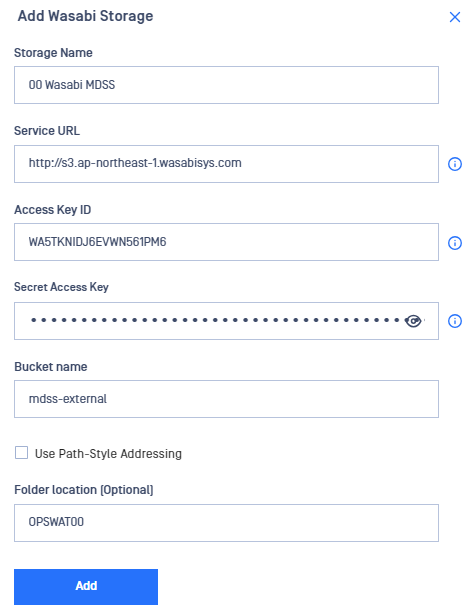
-
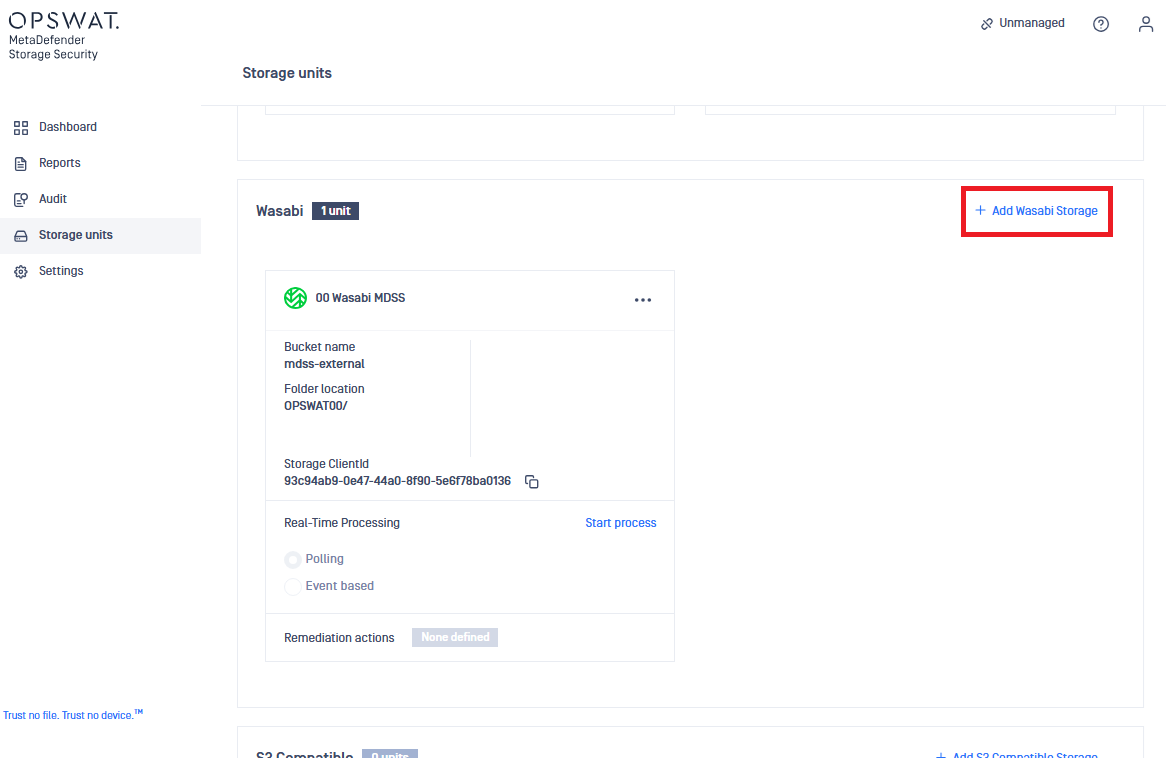
出力用フォルダを指定するため「+Add Wasabi Storage」をクリックします。
-
下の表に従い各項目入力後、最後に「Add」クリックします
項目 入力内容 備考 Storage Name XX(XXは担当番号) Wasabi MDSS Internal Service URL http://s3.ap-northeast-1.wasabisys.com Access Key ID WA5TKNIDJ6EVWN561PM6 Secret Access Key 6QBUoRD8hAM2cmVzahZQ3d8KCHLFOCX6dk7LL8aO Bucket name mdss-internal Folder location (Optional) OPSWATxx(xxは担当番号) 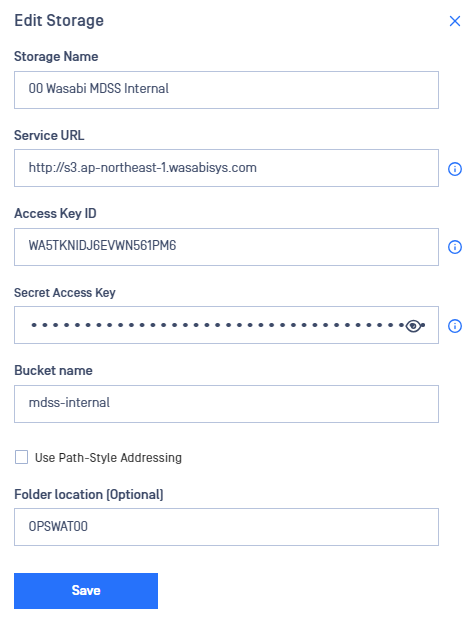
-
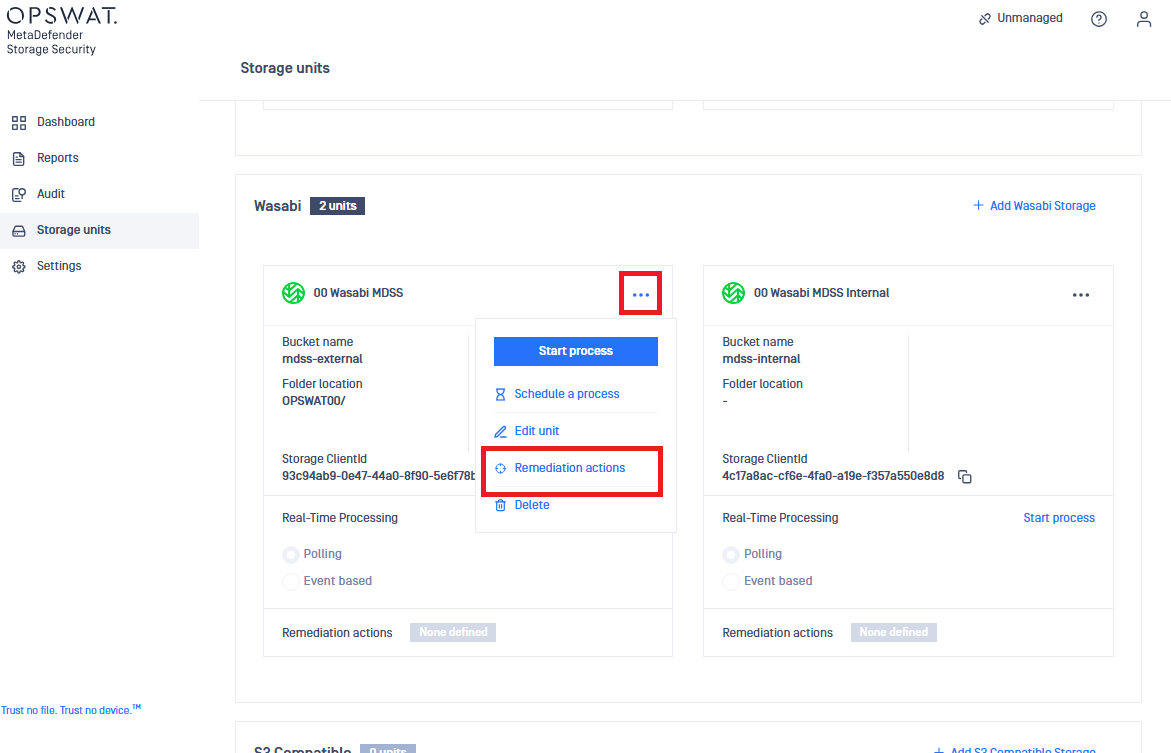
先ほど作成したStorage Unit「XX(XXは担当番号) Wasabi MDSS」の「…」「Remediation Actions」をクリックします
-
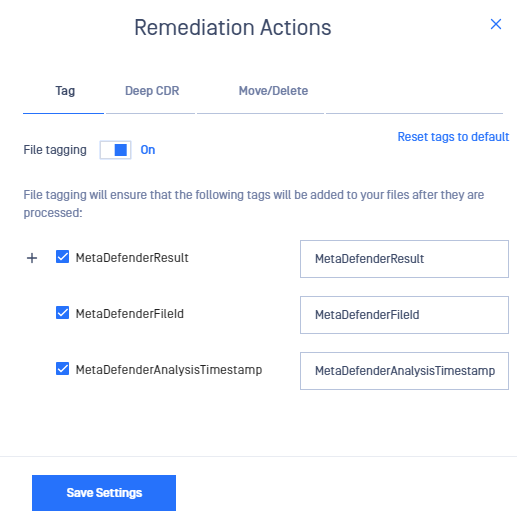
Tagタブにて「File tagging」「On」にします。
-
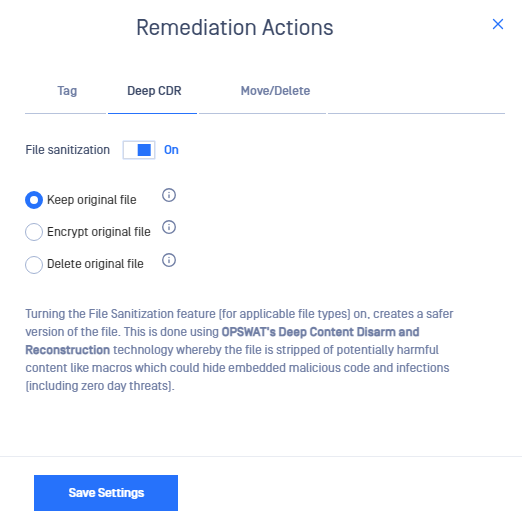
Deep CDRタブに移動し「File sanitization」「On」にします。
-
Move/Deleteタブに移動し「If the file is sanitized then」「Keep folder structure」にチェックし「Move file another storage unit」に「XX(XXは担当番号) Wasabi MDSS Internal」を選択します。
項目 入力内容 備考 If the file is sanitized then ☑チェック Keep folder structure ☑チェック Move file another storage unit XX(XXは担当番号) Wasabi MDSS Internal 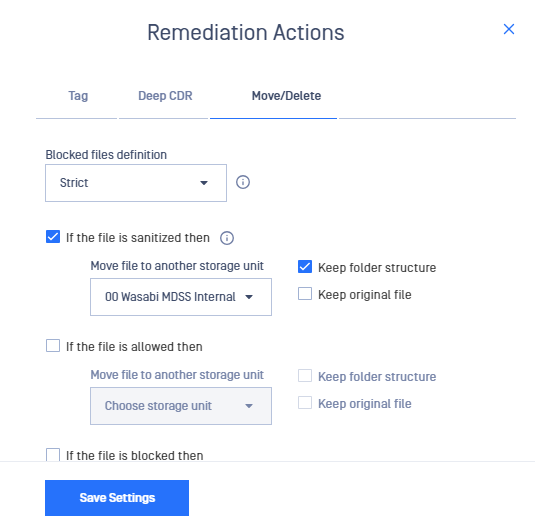
-
Move/Deleteタブに移動し「If the file is sanitized then」「Keep folder structure」にチェックし「Move file another storage unit」に「XX(XXは担当番号) Wasabi MDSS Internal」を選択します。 「If the file is alloweded then」「Keep folder structure」にチェックし「Move file another storage unit」に「XX(XXは担当番号) Wasabi MDSS Internal」を選択します。最後に「Save Settings」をクリックします。
項目 入力内容 備考 If the file is sanitized then ☑チェック Keep folder structure ☑チェック Move file another storage unit XX(XXは担当番号) Wasabi MDSS Internal If the file is allowed then ☑チェック Keep folder structure ☑チェック Move file another storage unit XX(XXは担当番号) Wasabi MDSS Internal 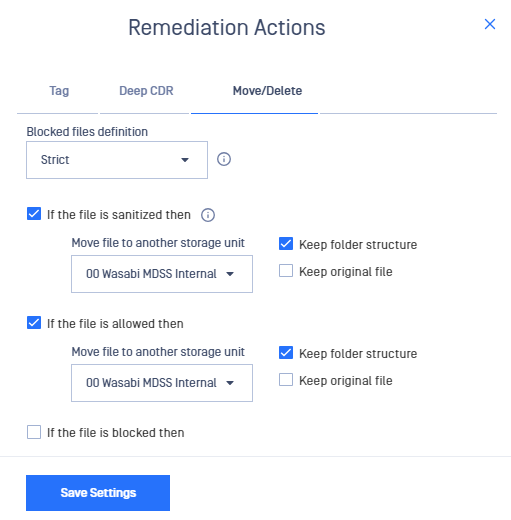
-
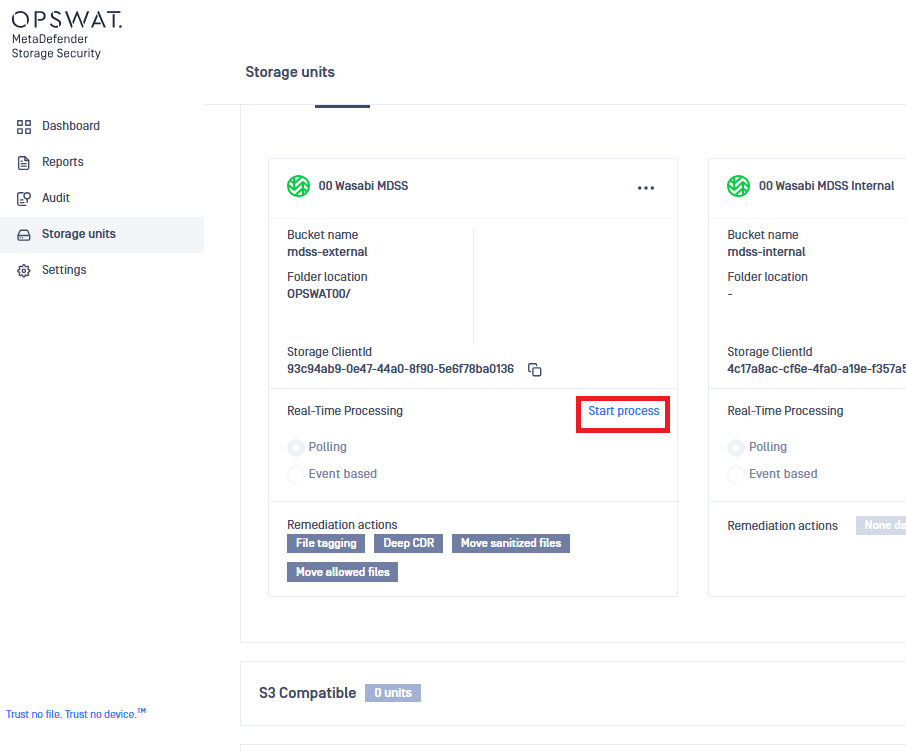
「XX(XXは担当番号) Wasabi MDSS」の「Start process」をクリックします。
-
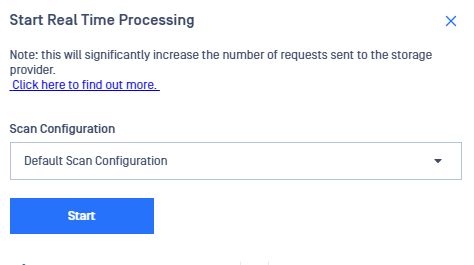
「Start」をクリックします。
「5-2-1. MetaDefender Secure Storage & Wasabi 連携設定」はこれで完了です。